GET
/api/v2/profile/:id/:mode?
Profile
Fetch public profile data, cache the provider response, and optionally store the profile image with asset metadata.
Instagram API
instro gives your product a private server-to-server Instagram API for public profiles, post lists, post details, reels, and media assets, with prepaid wallet billing, quota checks, storage accounting, and server-side request tracing built in.
Endpoints
Every billable endpoint runs through the same account, wallet, quota, storage, and provider-failure pipeline before returning a documented response envelope.
/api/v2/profile/:id/:mode?
Fetch public profile data, cache the provider response, and optionally store the profile image with asset metadata.
/api/v2/postall
Load public posts for a numeric Instagram user id with cursor pagination and page-size validation.
/api/v2/postid/:id
Retrieve a selected post or reel, import carousel thumbnails when available, and return deduplicated media assets.
Quick start
Sign in, get a bearer token, and call the endpoint your workflow needs. The server generates the request identifier.
Read the full documentationcurl "/api/v2/profile/example_store" \
-H "Authorization: Bearer YOUR_TOKEN"Why instro
Upstream provider credentials stay behind the API boundary, so clients only use instro authentication.
Billable calls check balance before work starts and record wallet movements for finance and support.
Daily service-call limits control usage, while server-generated identifiers make imports traceable.
Imported media is measured in bytes, associated with the requesting account, and deduplicated by checksum.
Console
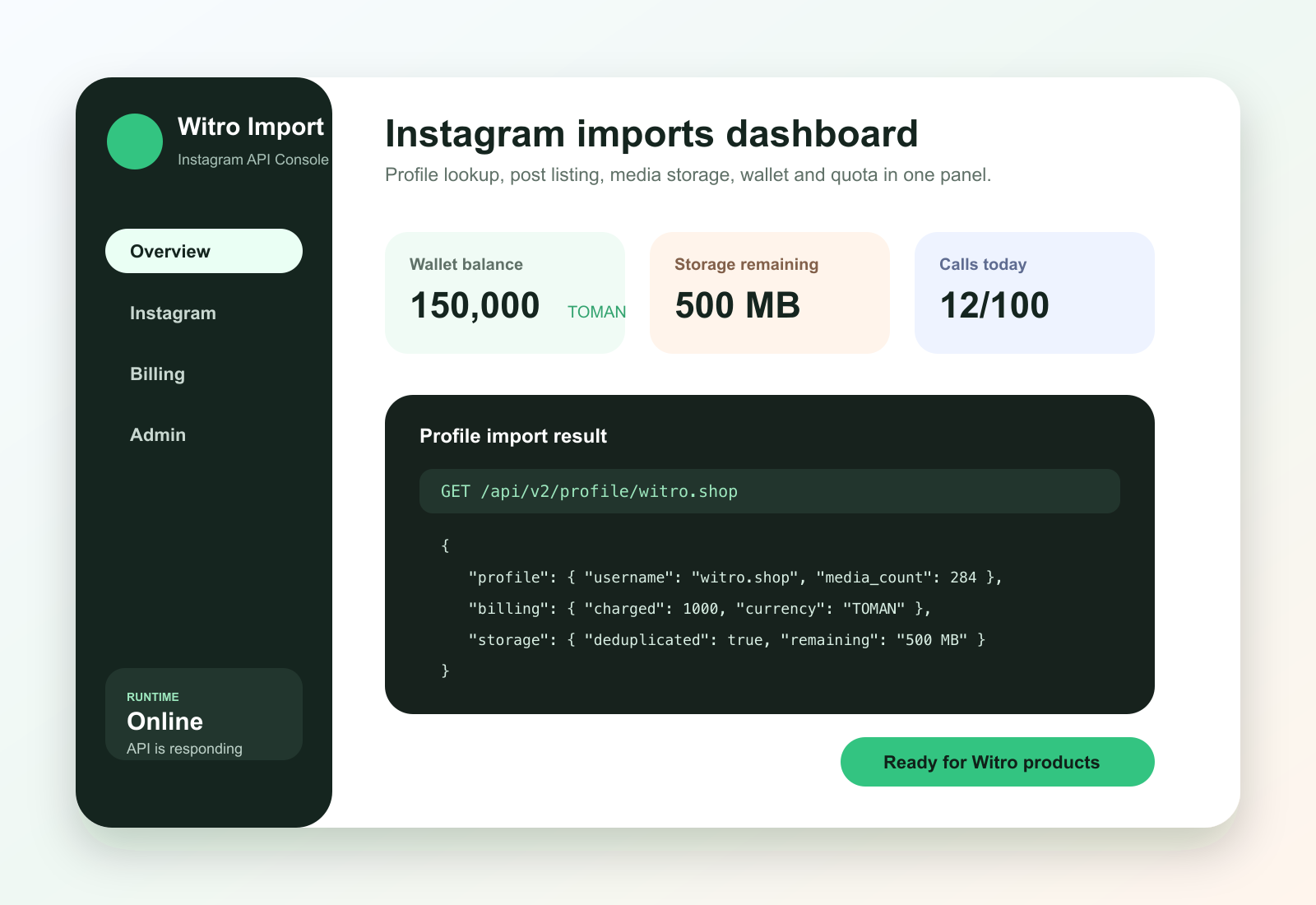
Review wallet balance, daily quota, storage usage, profile imports, JSON responses, and usage records without jumping between tools.
Use cases
Pull profile identity and media signals when a merchant connects an Instagram account.
Turn selected public posts or carousel images into internal product import candidates.
Inspect public profiles and posts before approving creators or sellers.
Track request volume, wallet charges, provider status, and storage consumption per account.
FAQ
No. instro provides a private import API for public Instagram data and handles provider access on the server.
No. Clients authenticate with instro. Provider credentials stay server-side and are not returned in responses.
The server generates a unique identifier and returns it in both the response header and response metadata.
Responses use a JSON envelope with status, data, and meta fields. Instagram imports return profile, post, and media asset data depending on the endpoint.
Get started
Open the console or jump straight into the API docs to test profile, post list, and post detail imports.